AI Video Creation Checklist: From Brief to Export

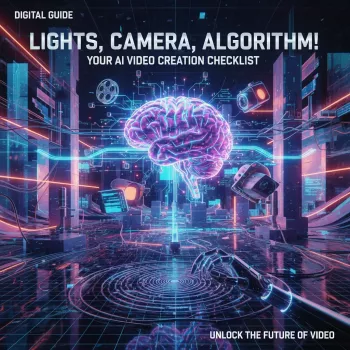
Lights, Camera, Algorithm! A Practical AI Video Creation Checklist (Digital Download)
AI video tools can speed up scripting, visuals, voice, and editing—but quality still depends on a clear workflow. A checklist keeps decisions consistent, reduces rework, and makes it easier to publish videos that feel intentional instead of “generated.” The Lights, Camera, Algorithm! Your AI Video Creation Checklist (Digital Download) walks through the full process from concept to export, with quick checkpoints that help keep videos cohesive, on-brand, and ready for real platforms.
What this checklist helps prevent
- Wasting time iterating without a clear brief and success criteria
- Inconsistent style across scenes (voice, visuals, pacing, aspect ratio)
- Audio issues that make videos feel “cheap” (levels, noise, mismatched tone)
- Export mistakes that reduce reach (wrong dimensions, bitrate, captions)
- Copyright and usage surprises (music licenses, voice likeness, stock terms)
Pre-production: set the brief before generating anything
The fastest way to improve AI video output is to decide the non-negotiables before you hit “generate.” A tight brief also helps you evaluate versions quickly: keep what matches the goal, drop what doesn’t.
- Define the video’s goal: educate, convert, entertain, or support onboarding
- Pick one primary audience segment and one desired action (subscribe, click, purchase, share)
- Write a single-sentence hook and a single-sentence takeaway
- Choose platform specs early: vertical (9:16), square (1:1), or horizontal (16:9)
- Lock constraints: duration range, reading level, brand terms to include/avoid
- Collect references: 2–3 examples of pacing, style, and tone to emulate
Quick brief template (copy/paste fields)
| Field | Decision | Notes |
|---|---|---|
| Goal | __________ | What success looks like |
| Audience | __________ | Who this is for and what they already know |
| Hook | __________ | First 2–3 seconds |
| Takeaway | __________ | One thing to remember |
| Format | __________ | 9:16 / 1:1 / 16:9 + length |
| Voice & style | __________ | Energetic, calm, authoritative, playful, etc. |
| Must include | __________ | Keywords/phrases, product shots, CTA |
| Must avoid | __________ | Claims, sensitive topics, competitor mentions |
Script + structure checkpoints (the “tight 60 seconds” test)
Even if your final video is longer than a minute, testing the core idea in a tight structure reveals what’s actually worth saying. If it can’t survive a short version, it usually won’t hold attention in a long one.
- Open with the hook first—no scene-setting unless it increases curiosity
- Keep one idea per scene; remove any sentence that doesn’t earn its place
- Use simple, speakable lines; read out loud for rhythm and breath
- Add pattern breaks every 5–10 seconds: on-screen text, cutaways, zooms, B-roll, or a question
- End with a clear CTA that matches the goal and platform behavior
- Create a caption-friendly version (short lines, minimal jargon)
Visual plan: storyboard without overthinking
A storyboard doesn’t need to be fancy. It just needs to prevent “random scene syndrome,” where each clip looks cool on its own but doesn’t feel like part of one video.
- Map each scene to a purpose: explain, prove, demonstrate, or transition
- Choose a consistent visual language: realism vs. illustration, cinematic vs. UGC, minimal vs. busy
- Decide where text overlays are mandatory (names, steps, pricing, disclaimers)
- Confirm continuity: wardrobe/props, lighting mood, background, and camera angle
- Prepare brand assets: logo, colors, fonts, lower thirds, end screen
Audio plan: the fastest way to sound professional
Great visuals won’t save messy audio. A clean voice track plus controlled music levels instantly raises perceived quality.
- Pick narration approach: AI voice, recorded voice, or no voice + captions
- Set pacing target (words per minute) to match platform norms and attention spans
- Select music with clear usage rights and ensure it supports the tone (not fighting the voice)
- Plan sound design sparingly: whooshes and clicks only where they add clarity
- Define audio targets: consistent loudness and no peaking on exports
Production: generating scenes and assets efficiently
AI workflows reward batching. Generate options quickly, choose winners, then polish—rather than polishing scenes that will be replaced.
Editing pass: a checklist for the final 20%
Publishing checklist: export settings, metadata, and compliance
Helpful references: YouTube Help: Upload videos, TikTok Help Center, and the FTC: Advertising and Marketing on the Internet.
Digital download: Lights, Camera, Algorithm! checklist (what’s included)
To build a small “systems bundle” for content creation and planning, pair the video workflow with Habit Hacking with AI – Digital Checklist for Smarter Habit Building for consistency and follow-through, or keep a creativity back-pocket resource like Gifts Made Smarter with AI Magic – Ultimate Guide to AI-Generated Gift Ideas for quick idea generation across different occasions.
If the goal is to publish cleaner, faster, and with fewer “why does this feel off?” moments, start with Lights, Camera, Algorithm! Your AI Video Creation Checklist (Digital Download) and use it as your pre-flight check before every upload.
FAQ
What tools are needed to use an AI video creation checklist?
The checklist is tool-agnostic: you can use any script generator, image/video generator, and editing app you prefer, plus an optional AI voice tool. Choose tools based on your target format (vertical vs. horizontal), export needs, and how easily they fit into your workflow.
Does an AI video checklist work for short-form and long-form videos?
Yes— the same steps apply, but pacing and scene count change. Short-form usually needs tighter hooks and more frequent pattern breaks, while long-form benefits from clearer sections, stronger transitions, and periodic recaps.
How can AI videos stay consistent across a series?
Use style anchors (reference frames and fixed descriptors), lock brand rules (fonts, colors, logo placement), and save reusable templates. Consistent naming conventions and a simple change log also make it easier to repeat what worked and avoid drifting styles.




Leave a comment